Why Automate Screening: The HR Professional's Guide
Why Automate Screening: The HR Professional’s Guide

Automated candidate screening is the use of software and AI to handle repetitive evaluation tasks, so human recruiters can focus on nuanced hiring decisions. The case for automating this process is grounded in hard numbers: an unfilled position costs $4,129 per role, and manual shortlisting typically takes two to three weeks. Screening automation, the recognized industry term for this practice, addresses both problems directly. This guide explains why automate screening decisions matter, what tools exist, and how to implement them without repeating the mistakes most HR teams make.
Why automate screening? The real cost of doing it manually
Manual candidate screening creates three compounding problems: financial exposure, recruiter fatigue, and candidate drop-off. Each one compounds the others.
The financial cost is measurable. Positions take an average of 36 days to fill, and every day a role sits open, the organization absorbs lost productivity. At $4,129 per vacancy, a team managing ten open roles simultaneously faces over $40,000 in exposure before a single offer goes out.

Recruiter fatigue is a hidden tax on quality. After an interruption, recruiters take an average of 23 minutes to regain full cognitive focus. Manual resume review is built on interruptions: switching between inboxes, spreadsheets, and calendar requests. By the 40th resume of the day, evaluation quality degrades. The recruiter is not less skilled. They are simply depleted.
Candidates leave before you can evaluate them. A striking 42% of candidates drop out of hiring processes because scheduling interviews takes too long. That figure represents real talent walking away to faster-moving employers, not a rejection of your organization.
The combined effect is a screening process that costs more, produces worse decisions, and loses good candidates. These are not edge cases. They are the default outcome of unautomated screening at any meaningful volume.
Pro Tip: Track your current time-to-shortlist by role family before evaluating any automation tool. Without a baseline, you cannot measure improvement.
How does screening automation improve hiring efficiency and consistency?
Screening automation improves hiring by removing the mechanical, repetitive work from recruiters’ plates and applying consistent evaluation logic to every candidate.
The core benefit is speed without sacrifice. Automation handles repetitive triage tasks so recruiters can direct their attention to interviews, reference checks, and final selection. A recruiter who previously spent four hours per day reviewing resumes can redirect that time to candidate conversations that actually require human judgment.
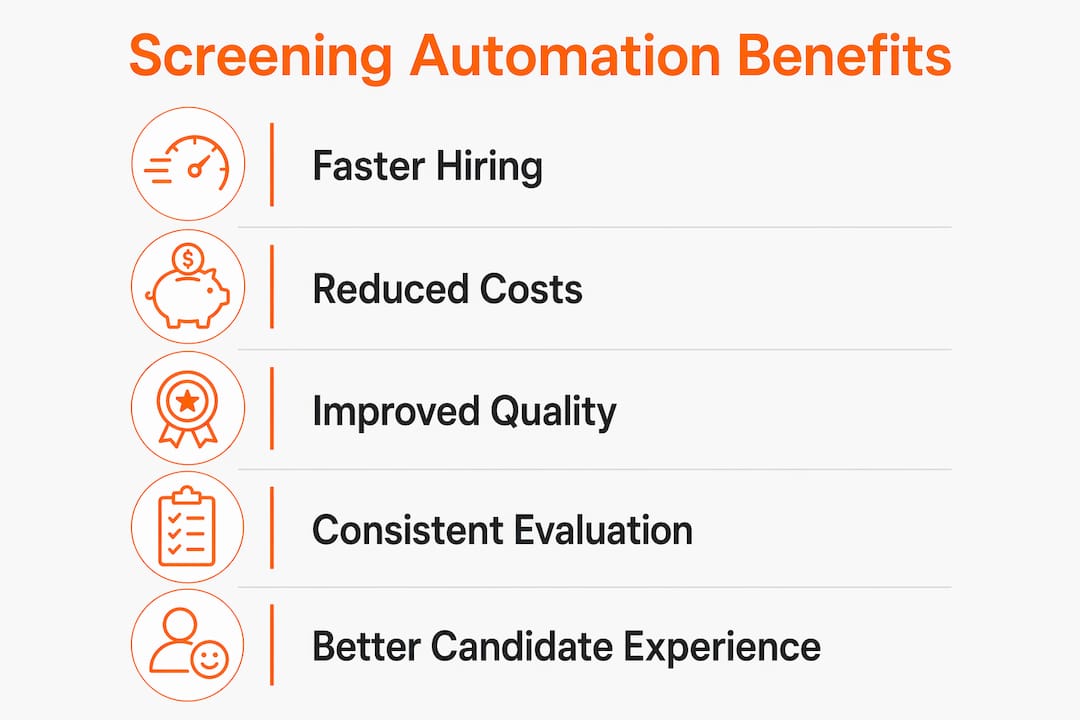
Consistency is the second major gain. Manual screening fatigue causes quality decay; automation applies the same evaluation criteria to candidate number 1 and candidate number 500. This matters for fairness as much as efficiency. When every applicant is scored against the same documented criteria, the process becomes auditable and defensible.
The candidate experience also improves. Automated communication tools send status updates, schedule assessments, and confirm next steps without requiring a recruiter to manually draft each message. Candidates get faster responses. Faster responses reduce the 42% drop-off rate that scheduling delays cause.
- Faster shortlisting: Automated parsing and scoring reduce shortlist creation from weeks to days.
- Consistent evaluation: Rule-based and AI scoring applies the same criteria to every applicant.
- Reduced bias: Documented, automated criteria limit the influence of fatigue-driven snap judgments.
- Better candidate experience: Automated scheduling and status updates keep applicants engaged.
- Recruiter focus: Freed from triage, recruiters spend time on high-value conversations.
Pro Tip: Pair automated screening with a structured interview scorecard. Automation handles volume; the scorecard keeps your human evaluation consistent at the final stage.
What are the common types of screening automation tools?
Screening automation is not a single tool. It is a category of technologies that each address a different stage of the candidate screening process. Understanding the types helps you select the right combination for your workflow.
| Tool type | What it does | Where it fits |
|---|---|---|
| Resume parsers | Extract structured data from resumes and match keywords to job criteria | Top of funnel, initial triage |
| Knockout question filters | Eliminate ineligible candidates based on hard requirements (e.g., work authorization, certifications) | Pre-application or application stage |
| Skills assessments | Test job-relevant abilities through tasks, simulations, or quizzes | Post-application, pre-interview |
| AI scoring and ranking | Score candidates against weighted criteria and rank them for recruiter review | Mid-funnel shortlisting |
| One-way video interviews | Let candidates record responses to set questions on their own schedule | Pre-interview, asynchronous |
| Automated scheduling | Sync calendars and send interview invitations without manual coordination | Interview booking |
| Candidate communication tools | Send automated status updates, reminders, and rejections | Throughout the pipeline |
Each tool type handles a distinct friction point. Resume parsers address volume at the top of the funnel. Knockout filters remove clearly ineligible applicants before a recruiter reviews anything. Skills assessments, including the AI-powered task evaluations that platforms like Testask provide, test actual job performance rather than resume claims. AI scoring and ranking tools then prioritize the remaining pool for human review.
The most effective implementations combine two or three of these tools in sequence rather than deploying all of them at once. A knockout filter plus a skills assessment plus automated scheduling covers the majority of screening friction without overwhelming candidates with steps.
What pitfalls should HR teams avoid when implementing screening automation?
Screening automation amplifies whatever process you feed into it. That is its greatest strength and its most serious risk.
-
Automating undocumented criteria. Most hiring teams fail by layering automation on top of inconsistent manual processes without documented scorecards. The result is that existing bias and inconsistency get scaled, not eliminated. Before you configure any tool, write down exactly what a qualified candidate looks like for each role.
-
Skipping the process audit. Automating broken workflows accelerates inefficiencies rather than solving them. Map your current screening steps, identify where delays and inconsistencies occur, and redesign the workflow before selecting a tool.
-
Treating automation as a replacement for human judgment. The best implementations route candidates into advance, clarify, hold, and stop queues, preserving recruiter judgment for borderline cases. Binary automated hiring decisions, where a tool alone determines who advances, create legal exposure and miss qualified candidates who do not fit a narrow keyword profile.
-
Ignoring algorithmic bias and false negatives. A misconfigured model can silently reject qualified candidates at scale. Active monitoring for false negatives and demographic patterns is not optional. It is a core part of running an automated screening program responsibly.
-
Scaling before validating. Pilot automation on one role family before deploying organization-wide. A single role gives you enough data to identify misconfiguration without the risk of rejecting hundreds of qualified applicants across the business.
Pro Tip: Run your first automated screening cycle in parallel with your existing manual process. Compare the shortlists. Gaps between the two reveal where your automation criteria need adjustment.
How can organizations maximize the benefits of screening automation?
Getting the most from screening automation requires deliberate workflow design, not just tool deployment. The importance of screening automation is fully realized only when it connects to a well-structured hiring process.
Start by diagnosing your current process. Document every step from application receipt to interview scheduling. Identify which steps consume the most recruiter time and which produce the most inconsistent outcomes. Those are your automation targets.
- Document evaluation criteria first. Write explicit, weighted scorecards for each role before configuring any tool. Tacit knowledge produces inconsistent automation results.
- Integrate with your ATS. Automation tools that sit outside your applicant tracking system create data silos and manual handoffs. Native integrations or API connections keep candidate data flowing without duplication.
- Free recruiters for high-value work. Automation’s goal is to remove friction from repetitive tasks, not to reduce headcount. Redirect recruiter time toward candidate engagement, employer branding, and final-stage evaluation.
- Set measurable KPIs. Track time-to-shortlist, candidate drop-off rate, offer acceptance rate, and 90-day retention by hire cohort. These metrics tell you whether automation is improving outcomes or just moving work around.
- Review and recalibrate quarterly. Job requirements shift. Criteria that were accurate six months ago may now filter out strong candidates. Schedule regular reviews of your automation logic.
Understanding AI screening methods and pitfalls in detail helps HR teams avoid the most common configuration errors before they affect real hiring outcomes.
Key Takeaways
Automating candidate screening reduces time-to-shortlist, cuts vacancy costs, and produces fairer, more consistent evaluations when built on documented criteria and monitored continuously.
| Point | Details |
|---|---|
| Vacancy costs are real | An unfilled role costs $4,129 on average; automation shortens the exposure window. |
| Consistency beats volume | Automation applies the same criteria to every candidate, reducing fatigue-driven bias. |
| Process audit comes first | Automating undocumented criteria scales inconsistency rather than eliminating it. |
| Human judgment stays central | Route candidates into queues; let recruiters decide on borderline cases, not algorithms alone. |
| Measure what changes | Track time-to-shortlist and drop-off rates to confirm automation is improving outcomes. |
The part most teams get wrong
Recruiters are not the bottleneck. The process is. I have seen well-resourced HR teams invest in sophisticated screening tools and still struggle, because they automated the wrong things. They configured keyword filters based on what past hires looked like, not what the role actually required. They ended up with faster pipelines full of the same narrow candidate profiles.
The shift that actually works is treating automation as a process redesign project, not a software purchase. Before I recommend any tool to a team, I ask them to show me their scorecard for the role. If they cannot produce one, the tool will not help. The automation will just move the inconsistency faster.
What I find genuinely encouraging is that when teams do the process work first, the results are significant. Recruiters stop spending their days in spreadsheets and start spending them in conversations. Candidates get faster responses and a better experience. Hiring managers get shortlists they trust. That outcome is achievable. It just requires honesty about what your current process actually looks like before you automate it.
— Pavel
Testask helps HR teams screen candidates with confidence
Screening automation works best when it is built around real job performance, not resume keywords. Testask is an AI-powered recruitment assessment platform that lets HR teams create tailored test tasks, evaluate candidate submissions with AI-assisted analysis, and collaborate on reviews in one place.
Testask gives you the structured, auditable evaluation layer that makes automation defensible and effective. You define the criteria. The platform applies them consistently across every candidate. If your team is ready to move from manual resume review to skills-based screening, explore Testask’s assessment tools and see how the workflow fits your current hiring process.
FAQ
Why automate screening instead of reviewing resumes manually?
Manual screening is slow, inconsistent, and expensive. An unfilled role costs $4,129 on average, and manual shortlisting takes two to three weeks, creating significant cost exposure that automation directly reduces.
What is the biggest risk of screening automation?
The biggest risk is automating undocumented or inconsistent criteria, which scales existing bias rather than eliminating it. Always document explicit evaluation scorecards before configuring any automation tool.
How do types of screening automation tools differ?
Resume parsers handle volume triage, knockout filters remove ineligible applicants, skills assessments test actual job performance, and AI scoring ranks the remaining pool for recruiter review. Each tool addresses a different stage of the pipeline.
Does automation replace recruiters in the hiring process?
Automation handles repetitive triage tasks; it does not replace human judgment. The best implementations route candidates into queues so recruiters focus on borderline cases, final selection, and candidate engagement.
How do I know if my screening automation is working?
Track time-to-shortlist, candidate drop-off rate, and 90-day retention by hire cohort. If drop-off rates fall and shortlist quality improves, your automation criteria are calibrated correctly.
Recommended
- What Is Automated Resume Screening? HR Guide 2026 | Testask Blog | testask
- Candidate Screening Process Guide: Streamlined Hiring Steps | Testask Blog | testask
- Screening process best practices: smarter, fairer hiring steps | Testask Blog | testask
- Build an effective recruitment checklist for HR success | Testask Blog | testask