Accessible Assessment Design: A Practical Guide for Educators
Accessible Assessment Design: A Practical Guide for Educators

Assessment accessibility means designing every assessment so all learners can demonstrate their actual knowledge without running into barriers that have nothing to do with what you’re measuring. Start here:
- Map your accessibility resources. Identify which embedded tools (text-to-speech, zoom, color contrast), designated supports, and formal accommodations apply to each item and test form.
- Put accessibility experts on your item-review team. Not after development. From the first draft.
- Schedule usability testing before launch. Even a small pilot with diverse users catches interface problems that automated checks miss.
This week: contact your assessment lead and your special education or accessibility coordinator. Ask them to pull your current accommodation documentation and compare it against your item inventory. That gap analysis is your starting point.
Key Takeaways
Accessible assessment design requires embedding accessibility into every stage of development, from item authoring to administration, rather than treating it as a compliance check at the end.
| Point | Details |
|---|---|
| Start with the UDAs framework | Map embedded tools, designated supports, and accommodations to each item before development begins. |
| Apply NCEO’s nine-step roadmap | Follow the planning, development, testing, and monitoring sequence to build accessibility into every cycle. |
| Validate end-to-end, not just items | Test the full candidate experience, including login, dashboards, and proctoring, against WCAG 2.1 AA. |
| Document and monitor accommodations | Log every accommodated session and track usage patterns to identify equity gaps across test windows. |
| Testask for structured review | Testask’s AI-assisted reviewer assignment and collaboration tools support consistent, auditable assessment workflows. |
Table of Contents
- What does assessment accessibility actually cover?
- How does an accessibility resources matrix work?
- Why universal design principles reduce your workload over time
- How to implement accessible assessments step by step
- Item design practices that preserve validity and access
- Running accessible test administrations reliably
- How to validate accessibility before and after deployment
- Research findings that should change how you design assessments
- What most teams get wrong about accessibility implementation
- Testask supports structured, accessible assessment workflows
- Official resources worth bookmarking
- Sources
What does assessment accessibility actually cover?
Assessment accessibility is broader than most teams assume. It covers not just item content but also the delivery platform, administration workflows, registration processes, reporting systems, and proctoring environments. Miss any one of those layers and you’ve created a barrier even if your items are perfectly designed.
Three categories of resources organize the field:
- Embedded universal tools: Available to all students without prior approval. Examples include zoom, color contrast settings, line readers, and digital highlighters.
- Designated supports: Available to specific students based on documented need, but not requiring a formal disability classification. Examples include translated test directions, bilingual glossaries, and read-aloud for non-reading constructs.
- Accommodations: Formal changes to testing conditions or formats, documented in an IEP or 504 plan, that are intended to level access without altering the construct being measured.
This three-tier structure, often called the UDAs framework, is used by CAASPP, Smarter Balanced, and ETS to classify and communicate resource categories to states, districts, and test administrators. It gives procurement teams a common vocabulary and gives administrators a clear decision tree for assigning supports.
Accessibility is not a single accommodation or a checklist item. It is a design philosophy applied across every layer of the assessment system, from item authoring to score reporting.
Students with disabilities, English learners, students with temporary medical conditions, and students who simply learn differently all benefit from well-designed accessibility resources. The goal is not to lower the bar. It is to remove the irrelevant obstacles between a student and the construct you are trying to measure.
How does an accessibility resources matrix work?
An Accessibility Resources Matrix organizes every accessibility feature, support, and accommodation against the items or test forms that allow them. Think of it as a grid: rows represent stimulus types, response modes, or individual items; columns represent the three resource categories. Each cell tells you what is permitted, what requires prior approval, and what is prohibited for that item type.
The California Department of Education’s CAASPP matrix is one of the most detailed public examples. It cross-references item types (selected response, constructed response, technology-enhanced) against embedded tools and accommodations, and it includes quick-reference graphics that administrators can use during training. Smarter Balanced publishes a companion document that maps the same resources to specific test blueprints.
Here is a simplified example of what a matrix entry looks like in practice:
Maintaining this matrix across test cycles requires discipline. Assign one owner (typically your assessment lead or accessibility coordinator) to update it every time an item is added, revised, or retired. Use it in three ways:
- Training: Walk administrators through the matrix before each test window so they understand which tools require pre-approval and which are universally available.
- Personal Needs Profiles (PNPs): Map each student’s documented supports to the matrix to confirm the platform can deliver them before test day.
- Procurement: Require vendors to demonstrate matrix compatibility during the RFP process. If a platform cannot support a resource category your matrix requires, that is a disqualifying gap.
Pro Tip: Build your matrix in a shared, version-controlled document. A spreadsheet that only one person can edit becomes a single point of failure when that person changes roles.
Why universal design principles reduce your workload over time
Apply Universal Design for Learning (UDL) to assessments from the start, and you reduce the number of individualized accommodations you need to manage later. That is the practical payoff, not just a philosophical position.

CAST’s UDL framework organizes design around three principles: multiple means of representation (how content is presented), multiple means of action and expression (how students respond), and multiple means of engagement (how students are motivated and supported). Applied to assessments, this means offering text alongside audio, providing keyboard alternatives to mouse-dependent interactions, and chunking complex stimuli so working memory demands don’t obscure the construct.
The National Center on Educational Outcomes (NCEO) builds on UDL with a framework specifically for summative assessments. NCEO’s guidance emphasizes that accessibility built into the original design preserves validity in a way that retrofitted accommodations often cannot. When you add a workaround after the fact, you introduce variability in how different students experience the same item. That variability is construct-irrelevant variance, and it threatens score comparability.
ReadSpeaker’s practitioner data shows that TTS and other UDL-aligned features improve completion rates and reduce the administrative load of processing individual accommodation requests. When TTS is available to all students and used consistently from instruction through assessment, it stops being a special accommodation and starts being a standard feature of the testing environment.
Pro Tip: Include your accessibility and accommodations specialists in the RFP process and in item-review panels from the first development sprint. Retrofitting accessibility after items are written costs significantly more time and budget than building it in from the start.
How to implement accessible assessments step by step
NCEO’s nine-step framework is the most complete public roadmap for universally designed summative assessments. Here is how to translate it into operational tasks:
-
Define policy and scope (Owner: Assessment director; Timeline: Planning phase, weeks 1–2) Establish the test purpose, the populations served, and the accessibility standards required. Include WCAG 2.1 AA and Section 508 compliance as non-negotiable contract requirements in your RFP.
-
Require accessibility expertise in procurement (Owner: Vendor manager; Timeline: RFP stage) Require vendors to document native accessibility features, provide VPAT (Voluntary Product Accessibility Template) reports, and demonstrate compatibility with common assistive technologies (JAWS, NVDA, VoiceOver).
-
Author items with accessibility metadata (Owner: Item writers, SMEs; Timeline: Development sprint 1) Tag every item with stimulus type, response mode, required accessibility resources, and alt-text status. Flag items with high visual or linguistic complexity for additional review.
-
Include accessibility experts on review teams (Owner: Assessment lead; Timeline: Development sprint 2) Accessibility and accommodations specialists should review items alongside content experts. Their job is to identify construct-irrelevant barriers before items enter the field.
-
Run usability and accessibility testing (Owner: QA team, accessibility coordinator; Timeline: Pre-pilot, two weeks before tryout) Combine automated WCAG checks with screen-reader walkthroughs and task-based sessions involving users with diverse needs. Log every failure against the matrix.
-
Conduct field tryouts and pilots (Owner: Assessment lead, district coordinators; Timeline: Pilot week) Administer the assessment to a representative sample that includes students with disabilities and English learners. Collect completion rates, time-on-item data, and accommodation usage logs.
-
Analyze item- and test-level data (Owner: Psychometrician, data analyst; Timeline: Analysis month, post-pilot) Run differential item functioning (DIF) analyses by accommodation group. Flag items where accommodated and non-accommodated groups show unexpected performance gaps.
-
Train administrators and proctors (Owner: Training coordinator; Timeline: Four weeks before test window) Cover the matrix, PNP assignment, platform navigation, and contingency procedures. Use the matrix as the training anchor document.
-
Monitor implementation and iterate (Owner: Assessment director; Timeline: Ongoing, post-administration) Track accommodation usage patterns, error logs, and equity indicators across test windows. Use findings to update the matrix and inform the next development cycle.
Item design practices that preserve validity and access
Design items so they measure only the intended construct while remaining perceivable, operable, and understandable. That single sentence is the governing rule for every authoring decision.
IMS Global’s Section 9 guidance makes the validity point explicit: accessibility features can sometimes pose threats to validity and must be evaluated in context. A read-aloud accommodation on a reading comprehension item changes what is being measured. The same feature on a mathematics item does not. Knowing the difference requires item-level analysis, not a blanket policy.
Practical authoring rules:
- Chunk dense text. Break long passages into labeled sections with clear headings. This reduces working memory load without changing the reading construct.
- Write alt text for every image. Alt text should describe what the image communicates, not just what it depicts. “Bar chart showing scores increasing from 2021 to 2024” is useful. “Chart” is not.
- Provide keyboard alternatives for every interaction. Drag-and-drop, click-and-hold, and timed interactions all need keyboard equivalents. TAO’s platform documentation confirms that keyboard navigation and ARIA landmarks are baseline requirements for any online assessment interface.
- Flag high-complexity items. Use a complexity flag in your authoring metadata to route items to accessibility review before they reach the field.
- Avoid PDFs as primary delivery formats. Tagged PDFs can be made accessible, but they require significant additional work and often fail screen-reader compatibility tests in practice.
Pro Tip: Build your authoring tool to require alt text and complexity flags before an item can be submitted for review. A mandatory field takes ten seconds to fill and prevents hours of remediation later.
Running accessible test administrations reliably
Accessibility is an operational workflow, not a one-time design decision. It requires documented responsibilities, pre-administration checklists, and contingency plans for when technology fails.
Registration and PNP management:
- Confirm every student’s accommodations are documented in their IEP or 504 plan before the test window opens. Arkansas ADE guidance requires that accommodations used for statewide testing be used regularly in classroom instruction first, and that any accommodation that changes the construct being measured is not permitted for testing.
- Automate PNP assignment where your platform supports it. Manual entry at scale introduces errors.
- Verify that each student has practiced using their assigned tools in the classroom before test day.
Proctoring and security:
- Test your lockdown browser configuration against your accessibility tools. TTS, screen readers, and external assistive devices can conflict with security software. Resolve these conflicts in your pilot, not on test day.
- Provide low-bandwidth or offline options for students in locations with unreliable internet. Platform-level accessibility features, including font sizing, color themes, and adjustable contrast, should function in offline mode.
Reporting and documentation:
- Log every accommodated session, including which tools were used and whether any technical issues occurred.
- Track accommodation usage patterns across test windows to identify equity gaps. If one subgroup consistently uses fewer accommodations than expected, investigate whether the registration process is creating a barrier.
- Retain accommodation logs and error reports for audit and compliance purposes.
Pro Tip: Assign a single point of contact at each test site for accessibility issues on test day. That person should have the matrix, the PNP roster, and a direct line to your technical support team.
For documentation best practices in high-stakes testing contexts, LSAT accommodation documentation guidance offers a useful model for organizing evidence requirements.
How to validate accessibility before and after deployment
Validate accessibility with both technical checks and human-centered usability testing before full deployment. Automated tools catch roughly half of WCAG failures. The other half requires a person.
Recommended methods:
- Automated WCAG scans: Use tools like axe, WAVE, or Lighthouse to catch color contrast failures, missing alt text, and form labeling errors. Run these on every new build.
- Screen-reader walkthroughs: Test with JAWS, NVDA, and VoiceOver. Navigate every item type using only the keyboard. If you cannot complete a task without a mouse, that is a failure.
- Task-based usability sessions: Recruit participants with diverse needs, including students with visual, motor, and cognitive disabilities, and English learners. Observe where they pause, backtrack, or fail to complete tasks.
- Field tryouts: Collect completion rates by accommodation group, time-on-item distributions, and assistive-technology compatibility reports.
TAO’s accessibility documentation notes that the entire assessment interface, including login, dashboards, and scheduling, must meet accessibility standards. Item-level accessibility is necessary but not sufficient.
For item-level analysis, track these metrics:
| Metric | What it tells you | When to act |
|---|---|---|
| Completion rate by accommodation group | Whether accommodated students can finish | Gap greater than 10 percentage points vs. non-accommodated group |
| Time-on-item by accommodation | Whether time limits are construct-relevant | Accommodated group consistently exceeds standard time significantly |
| DIF by accommodation group | Whether items function differently for subgroups | Moderate or large DIF flags requiring item review |
| Error log frequency | Platform-level failures during testing | Any error affecting more than 1% of sessions |
ACM research on workload-aware reviewer assignment shows that automated, balanced assignment approaches outperform manual methods in large-scale review systems. The same principle applies to accessibility review: distribute review tasks systematically and monitor reviewer load to maintain consistency.
Research findings that should change how you design assessments
Three evidence-based findings are worth building policy around:
- Workload-aware reviewer assignment improves consistency. ACM research confirms that automated, balanced assignment outperforms manual approaches in large-scale review systems. Overloaded reviewers produce less consistent evaluations. Automate load balancing and monitor reviewer dashboards.
- TTS reduces construct-irrelevant reading barriers. ReadSpeaker’s practitioner reports show that TTS and UDL-aligned features improve completion rates and reduce the volume of individualized accommodation requests when used consistently from instruction through assessment. Adopt TTS as a universal tool, not a special accommodation.
- Native accessibility is cheaper than retrofits. Building accessibility into platform code from the start avoids the reduced user experience and higher cost of adding it later. Require native accessibility in vendor specifications and validate it during acceptance testing.
Accessibility technology like TTS benefits many learners beyond those with documented disabilities. It is a tool for equity that removes irrelevant reading barriers and preserves the intention of the construct being measured.
IMS Global’s Section 9 guidance reinforces the validity dimension: evidence-centered design should be used to evaluate whether accessibility features alter what is being measured. That evaluation belongs in your item analysis process, not as an afterthought.
For bias-free assessment design and reviewer workflow consistency, the same principles that apply to educational assessments translate directly to professional and employment contexts.
What most teams get wrong about accessibility implementation
Three mistakes appear consistently across organizations that struggle with assessment accessibility, and all three are fixable.

Retrofitting accessibility late in the cycle is the most expensive mistake. Teams finalize items, build the platform, and then ask an accessibility specialist to review. At that stage, a single inaccessible interaction type can require rebuilding an entire item format. The fix is structural: accessibility review belongs in sprint 1, not sprint 4.
Optimizing items while ignoring the interface is the second failure mode. An item can be perfectly authored and still be inaccessible if the login page fails a screen-reader test or the timer cannot be paused. The candidate experience is end-to-end. Validate the entire workflow, from account creation to score release.
Inconsistent accommodation administration is the third. When different proctors apply the same accommodation differently, you introduce measurement error that has nothing to do with student ability. Standardized training, documented checklists, and a single point of contact per site address this directly. The matrix is your enforcement tool.
The pragmatic advice for maintaining momentum: tie accessibility milestones to your existing project schedule. If your development cycle already has a QA gate, add accessibility sign-off to that gate’s criteria. If your procurement process already has a vendor review stage, add VPAT submission to that stage’s requirements. Accessibility does not need its own parallel process. It needs to be embedded in the processes you already run.
Testask supports structured, accessible assessment workflows
Assessment accessibility requires consistent structure at every stage: item authoring, reviewer assignment, administration, and analysis. Testask gives HR teams and assessment designers a platform built around that structure.
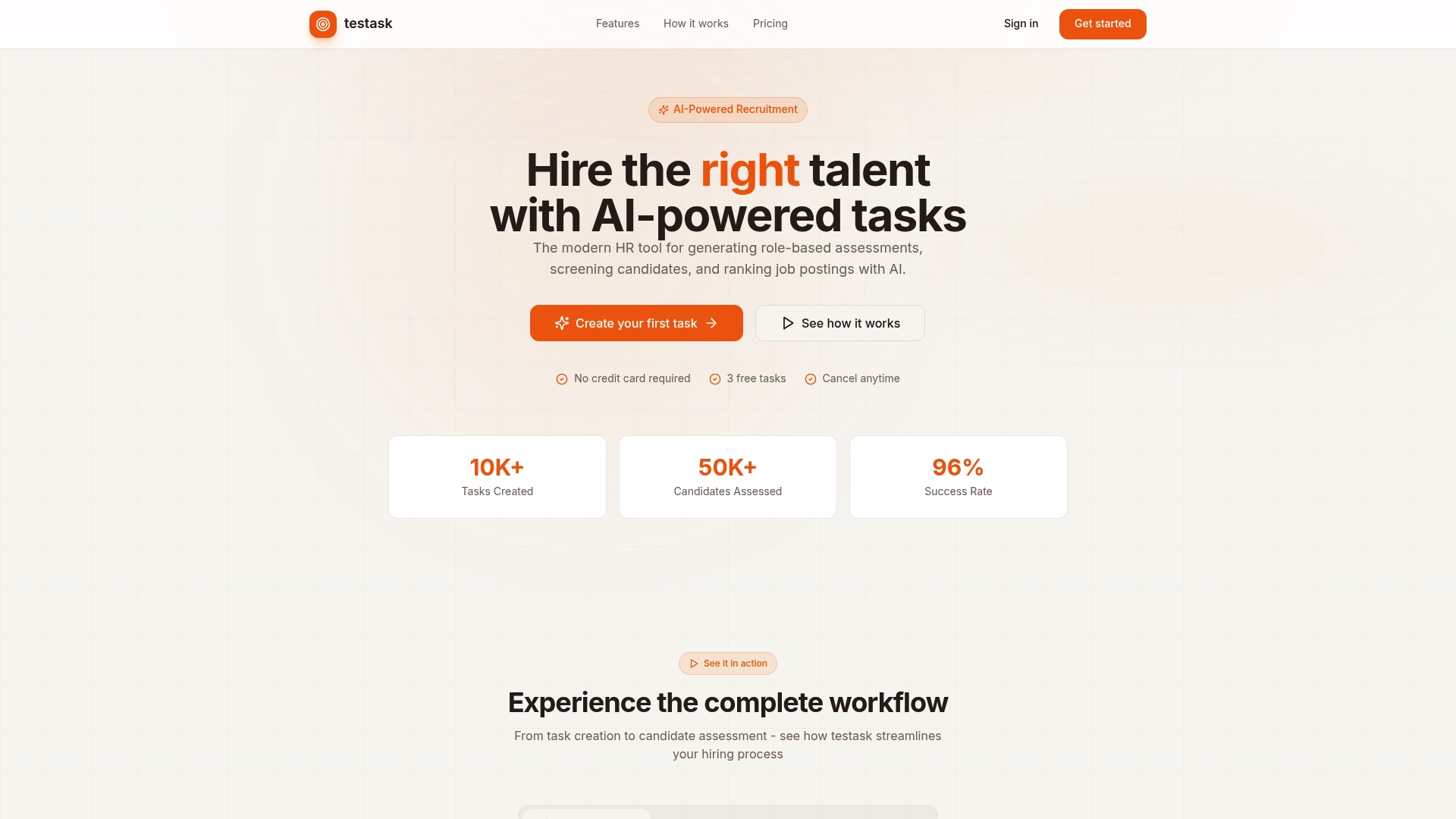
With Testask, you can generate tailored assessment tasks, collect candidate submissions in one place, and use AI-assisted scoring to distribute reviewer workload evenly across your team. That last point matters: unbalanced reviewer loads reduce evaluation consistency, and Testask’s collaboration tools make it straightforward to monitor and rebalance assignments before they affect result quality. For teams managing assessment platforms for professional screening, Testask provides the operational structure that keeps evaluations fair and auditable.
Start with a free account at Testask and see how structured task generation and AI-assisted review fit your current workflow.
Official resources worth bookmarking
Use these sources for policy decisions, technical checks, and item-level validity guidance:
- NCEO Report 431 — The nine-step framework for universally designed summative assessments. Best for policy planning and governance.
- IMS Global / 1EdTech Section 9 — Technical and evidence-centered guidance for accessible learning applications. Best for authoring standards and validity trade-off analysis.
- CAASPP Accessibility Resources Matrix (California Department of Education) — Detailed cross-reference of item types, embedded tools, and accommodations. Best for state-level administrators and procurement teams.
- Smarter Balanced Accessibility and Accommodations Manual — Companion to CAASPP; maps resources to specific test blueprints. Best for Smarter Balanced consortium states.
- ETS Accessibility Guidelines — Item-level and platform-level guidance from a major assessment developer. Best for higher education and professional credentialing contexts.
- WCAG 2.1 AA / Section 508 — Technical success criteria for digital accessibility. Best for QA teams and vendor acceptance testing.
- ADE Guidelines for Assessment Accessibility — State-level accommodation selection and documentation requirements. Best for administrators managing IEP/504 compliance.
- CAST UDL Framework — Foundational principles for multiple means of representation, expression, and engagement. Best for item writers and curriculum designers.
Sources
- National Center on Educational Outcomes — State Guide to Universally Designed Assessments (NCEO Report 431)
- 1EdTech Guidelines for Developing Accessible Learning Applications Section 9 | IMS Global Learning Consortium
- ACM proceedings paper on workload-aware reviewer assignment
- ADE Guidelines for Assessment Accessibility: Selecting Accessibility Features and Accommodations for Students with Disabilities and for English Learners
Recommended
- What is job assessment? A practical guide for better hiring | Testask Blog | testask
- Defining Interview Assessment: A 2026 HR Guide | Testask Blog | testask
- The Technical Assessment Process: A 2026 HR Guide | Testask Blog | testask
- What Is a Skill Assessment? A Complete Guide | Testask Blog | testask