HR Process Automation Explained for HR Leaders
HR Process Automation Explained for HR Leaders

HR process automation is the use of digital tools and software to handle repetitive, administrative human resources tasks without manual intervention. Platforms like Salesforce HR Service Management and Atlassian Jira Service Management apply rules-based logic and AI to execute workflows that once consumed hours of HR staff time each week. The result is a measurable shift: HR teams move from data entry and paperwork to leadership, coaching, and workforce planning. For any organization scaling past 50 employees, understanding what HR process automation delivers is no longer optional. It is the foundation of a modern, high-performing HR function.
What is HR process automation and which tasks does it cover?
HR process automation is the systematic replacement of manual, rule-based HR tasks with software-driven workflows. The industry term you will encounter most often is HR workflow automation, though the broader category is frequently called HR digital transformation. Both describe the same core shift: technology executes the routine so people can focus on the complex.
The scope is wider than most HR leaders initially expect. Automated resume screening filters hundreds of applications against defined criteria in seconds. Interview scheduling tools like those built into Workday or Greenhouse eliminate the back-and-forth email chains that typically add three to five days to a hiring cycle. Payroll processing, time-off requests, benefits enrollment, compliance reporting, and performance review reminders all fall within the automation perimeter.

The strategic impact is significant. Automation reclaims hours weekly by shifting HR focus from data entry to high-value work, meaning tasks that once consumed an entire afternoon happen instantly. For HR leaders, this is not a marginal efficiency gain. It is a reallocation of professional capacity toward the work that actually requires human judgment.
What key HR processes benefit most from automation?
The processes that deliver the fastest return are those with high repetition, clear rules, and low need for human discretion. The table below shows the before-and-after reality for the most common candidates.
| HR process | Before automation | After automation |
|---|---|---|
| Resume screening | 30+ minutes per applicant | Seconds per applicant with AI scoring |
| Onboarding paperwork | 2 to 4 hours of manual data entry | Auto-populated forms and digital signatures |
| Time-off requests | Email chains, manual calendar updates | Self-service portal with instant approval routing |
| Payroll processing | Weekly manual calculations, high error risk | Automated calculation with compliance checks |
| Performance review reminders | Manual tracking and follow-up emails | Scheduled triggers sent automatically |
Onboarding is one of the highest-impact starting points. A new hire’s first week involves document collection, system access provisioning, policy acknowledgment, and benefits selection. Each step can be triggered automatically based on a hire date, removing the need for HR to manually track and chase each task.
Pro Tip: When evaluating which processes to automate first, score each task on two dimensions: how often it occurs per month and how long it takes manually. Tasks scoring high on both are your fastest wins.
Payroll accuracy is another area where automation pays for itself quickly. Manual payroll carries a consistent risk of calculation errors, missed deductions, and compliance failures. Automated payroll systems cross-check inputs against tax tables and benefits data in real time, reducing error rates to near zero.
How does AI and machine learning advance HR automation?
Basic workflow automation handles rules-based tasks. AI and machine learning take the role of automation in HR several steps further by enabling prediction, pattern recognition, and decision support.
A systematic review of 100 studies confirms that AI-driven automation improves operational efficiency and turnover prediction. This means HR teams can identify flight-risk employees before they resign, giving managers time to intervene with targeted retention actions rather than reacting after the fact.
The most advanced implementations now fall under the term hyperautomation. Modern HR automation has evolved into hyperautomation, combining AI assistants, robotic process automation (RPA), and autonomous agents to provide data-driven HR decisions at scale. This is not just task automation. It is decision support built into the workflow itself.
Key capabilities that AI brings to HR automation include:
- Predictive turnover modeling: Machine learning analyzes engagement scores, tenure, compensation benchmarks, and performance data to flag retention risks.
- AI-assisted resume screening: Natural language processing scores candidates against job requirements, reducing unconscious bias and screening time simultaneously.
- Sentiment analysis: AI tools process employee survey responses and flag negative sentiment trends before they become culture problems.
- Workforce demand forecasting: Algorithms predict hiring needs based on growth projections, attrition rates, and seasonal patterns.
For HR leaders evaluating AI-powered tools, AI recruitment capabilities now extend well beyond basic screening, covering structured assessment, scoring, and collaborative review in a single workflow.
Pro Tip: When evaluating any HR automation platform, ask the vendor specifically about data integration. A tool that cannot connect to your HRIS, payroll system, and ATS will create new manual workarounds rather than eliminating existing ones.
What are the best practices for implementing HR automation?
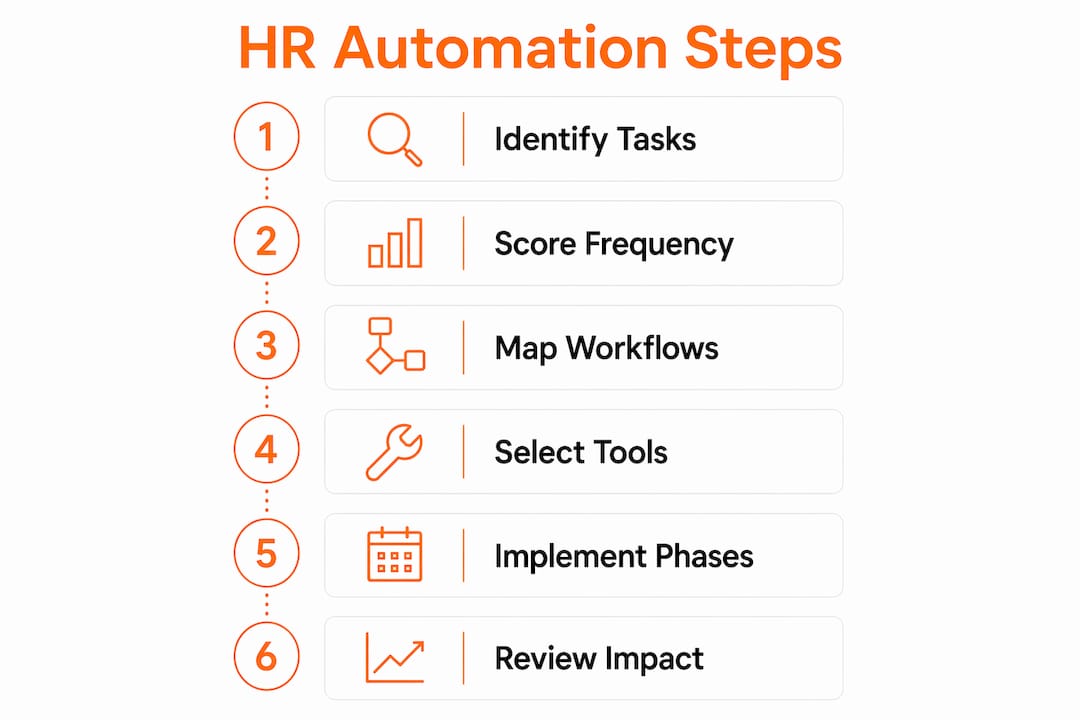
Successful implementation follows a deliberate sequence. Organizations that try to automate everything at once typically encounter data problems, user resistance, and integration failures. A phased approach builds confidence and delivers measurable results at each stage.
Here is a proven implementation sequence:
- Map your current workflows. Document every HR process in detail before touching any software. Identify which tasks are truly repetitive and rule-based versus those requiring judgment.
- Cleanse your data. Data integrity issues cause automated errors when dirty data is processed at speed. Audit employee records, job codes, and compensation data before any automation goes live.
- Start with simple, high-repetition tasks. Begin with processes like leave requests for quick wins and internal buy-in before tackling complex workflows like performance management.
- Involve IT and Finance early. Cross-department collaboration is critical for integration and security compliance. IT must align the automation tools with existing system architecture and data governance policies.
- Pilot with one team or location. Run a controlled pilot before organization-wide rollout. Collect feedback, measure time savings, and fix edge cases before scaling.
- Train HR staff on the new workflows. Automation changes job roles. HR professionals need to understand what the system handles and where human review is still required.
- Measure and iterate. Track cycle times, error rates, and employee satisfaction scores before and after each automation. Use that data to prioritize the next phase.
The most common implementation failure is skipping step two. Automating inaccurate data does not fix the inaccuracy. It replicates it faster and at greater scale. Organizations that invest two to four weeks in data cleansing before launch consistently report smoother rollouts and fewer post-launch corrections.
Pro Tip: Avoid selecting automation tools in isolation. Review automation around your existing tools to understand how new platforms integrate with your current stack before signing any contract.
What are the benefits and limitations of HR automation?
The advantages of HR automation are well documented and significant. HR automation enables scaling from 10 to 50-plus employees without a proportional increase in HR headcount. This scalability is the single most compelling argument for mid-growth companies. You add employees without adding administrative burden.
Additional benefits include:
- Accuracy: Automated systems apply rules consistently, eliminating the human errors that accumulate in manual data entry.
- Speed: Processes that took days complete in minutes, from offer letter generation to benefits enrollment confirmation.
- Compliance: Automated audit trails and policy enforcement reduce legal exposure in areas like overtime tracking and leave management.
- Strategic focus: HR automation digitizes repetitive tasks, freeing HR professionals to focus on leadership development, culture building, and workforce strategy.
The limitations are equally real and worth stating plainly. Automation cannot replace human empathy. Conflict resolution, termination conversations, mental health support, and career coaching all require a human presence that no software replicates. CHROs who automate sensitive interactions risk damaging trust and culture in ways that are difficult to repair.
Tasks suited for automation versus those requiring human judgment:
- Automate: Document collection, scheduling, payroll calculation, compliance reminders, survey distribution, reporting.
- Keep human: Disciplinary conversations, performance coaching, employee grievances, culture initiatives, leadership development.
Software compatibility is another genuine constraint. Many mid-market HR teams operate with legacy systems that do not support modern API integrations. Forcing automation onto incompatible infrastructure creates the manual workarounds it was meant to eliminate. Assessing your current tech stack honestly before committing to a platform saves significant time and budget.
Key takeaways
HR process automation delivers its greatest value when implemented in phases, starting with data-clean, high-repetition tasks and expanding to AI-driven decision support as organizational capability matures.
| Point | Details |
|---|---|
| Core definition | HR process automation uses digital tools to handle repetitive HR tasks without manual effort. |
| Highest-impact processes | Onboarding, payroll, resume screening, and time-off requests deliver the fastest measurable returns. |
| AI extends the value | Machine learning adds predictive turnover modeling and AI screening beyond basic workflow automation. |
| Implementation sequence | Cleanse data first, start simple, involve IT early, pilot before scaling. |
| Human judgment stays critical | Conflict resolution, coaching, and culture work require human presence that automation cannot replace. |
Why HR automation is less about technology and more about priorities
I have reviewed dozens of HR automation projects over the years, and the pattern that separates successful implementations from expensive disappointments is almost never the technology. It is the clarity of intent going in.
Teams that automate because a vendor demo looked impressive tend to automate the wrong things first. They tackle complex performance management workflows before they have sorted out basic data hygiene. They buy platforms with 200 features and use four of them. The technology works fine. The strategy does not.
The organizations that get this right treat automation as a workforce design decision, not a software purchase. They ask: what do we want our HR team to spend their time on in 12 months? Then they work backward to identify what needs to be automated to make that possible. That framing changes everything, from which processes get prioritized to how success gets measured.
The emergence of hyperautomation and predictive analytics is genuinely exciting, and the candidate screening process is one area where AI-driven tools are already delivering results that manual methods simply cannot match. But the organizations extracting the most value from these tools are the ones that have done the unglamorous work first: clean data, mapped workflows, and cross-functional alignment.
My honest recommendation is to resist the pressure to move fast. A well-executed 90-day pilot on three processes will teach you more than a rushed enterprise rollout ever will.
— Pavel
Automate smarter hiring with Testask
HR process automation extends naturally into recruitment, and that is where Testask delivers direct value. Testask is an AI-powered recruitment assessment platform that generates tailored test tasks, evaluates candidate submissions automatically, and gives hiring teams structured, data-backed scoring to compare candidates objectively.
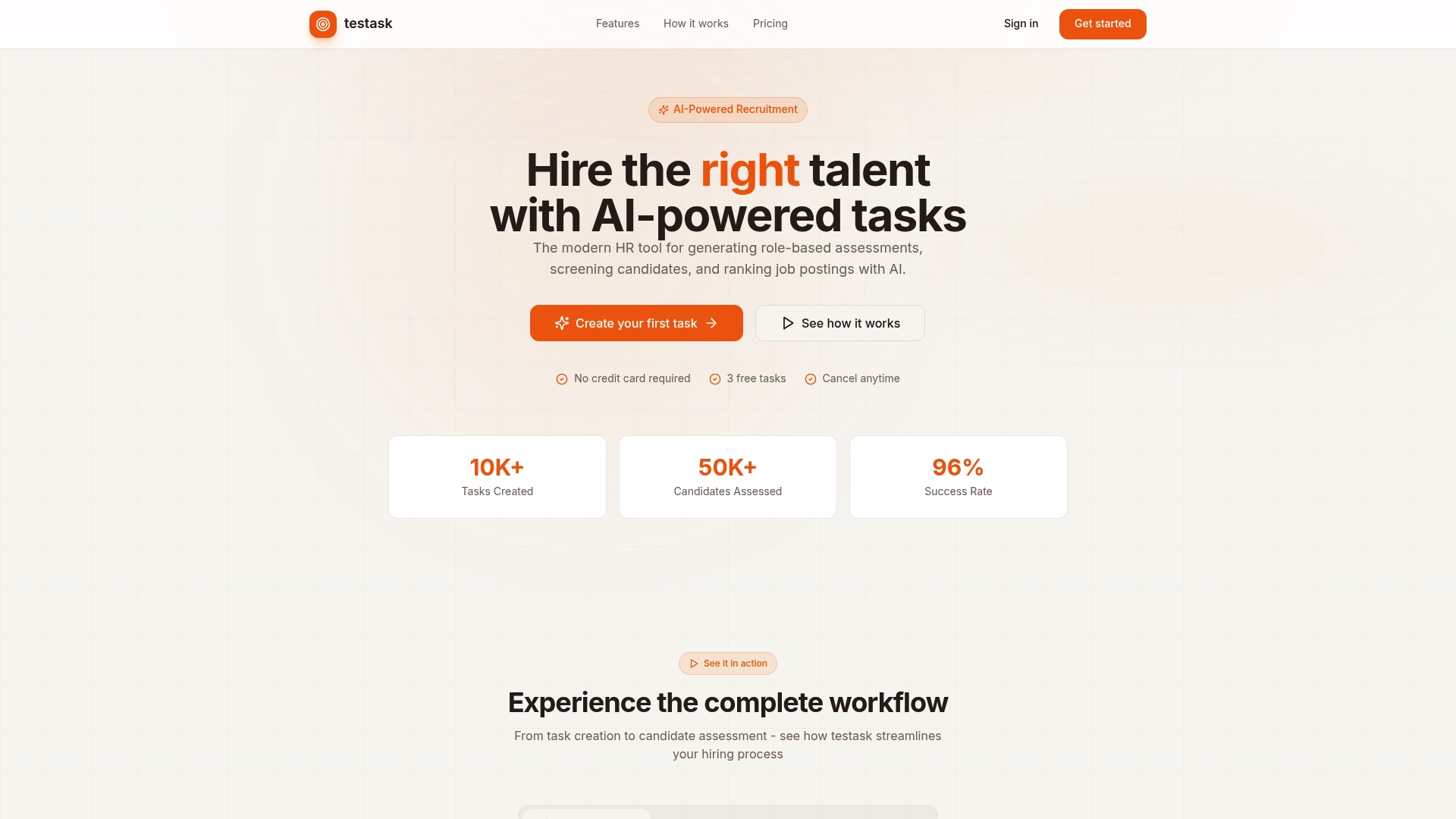
Instead of spending hours reviewing unstructured work samples, your team gets AI-assisted analysis and collaborative review tools built into a single workflow. Testask connects assessment directly to hiring decisions, cutting screening time while improving the quality of who advances. For HR teams building a more automated, evidence-based hiring process, explore Testask and see how AI-driven assessment fits your current recruitment workflow.
FAQ
What is HR process automation in simple terms?
HR process automation is the use of software to execute repetitive HR tasks, such as payroll processing, onboarding, and time-off approvals, without manual effort. It frees HR professionals to focus on strategic and people-centered work.
Which HR processes are easiest to automate first?
Leave requests, onboarding document collection, and payroll calculations are the best starting points because they are high-frequency, rule-based, and low-risk. Starting with these builds internal confidence before tackling more complex workflows.
Does HR automation replace HR staff?
HR automation does not replace HR staff. It removes administrative workload so HR professionals can focus on coaching, culture, conflict resolution, and workforce strategy, all of which require human judgment and empathy.
How does AI differ from basic HR automation?
Basic automation follows fixed rules to execute tasks. AI-driven HR automation adds predictive capabilities, such as turnover risk modeling and intelligent resume scoring, enabling HR teams to make proactive, data-informed decisions rather than reactive ones.
What is the biggest risk in implementing HR automation?
The biggest risk is automating inaccurate data. Dirty data processed at speed replicates errors across the entire HR system. Data cleansing before any automation goes live is the single most important step in a successful implementation.